
Destroy a Tank Controls Guide
PC, mobile, and console habits so your first matches are about tanks—not fighting the UI.
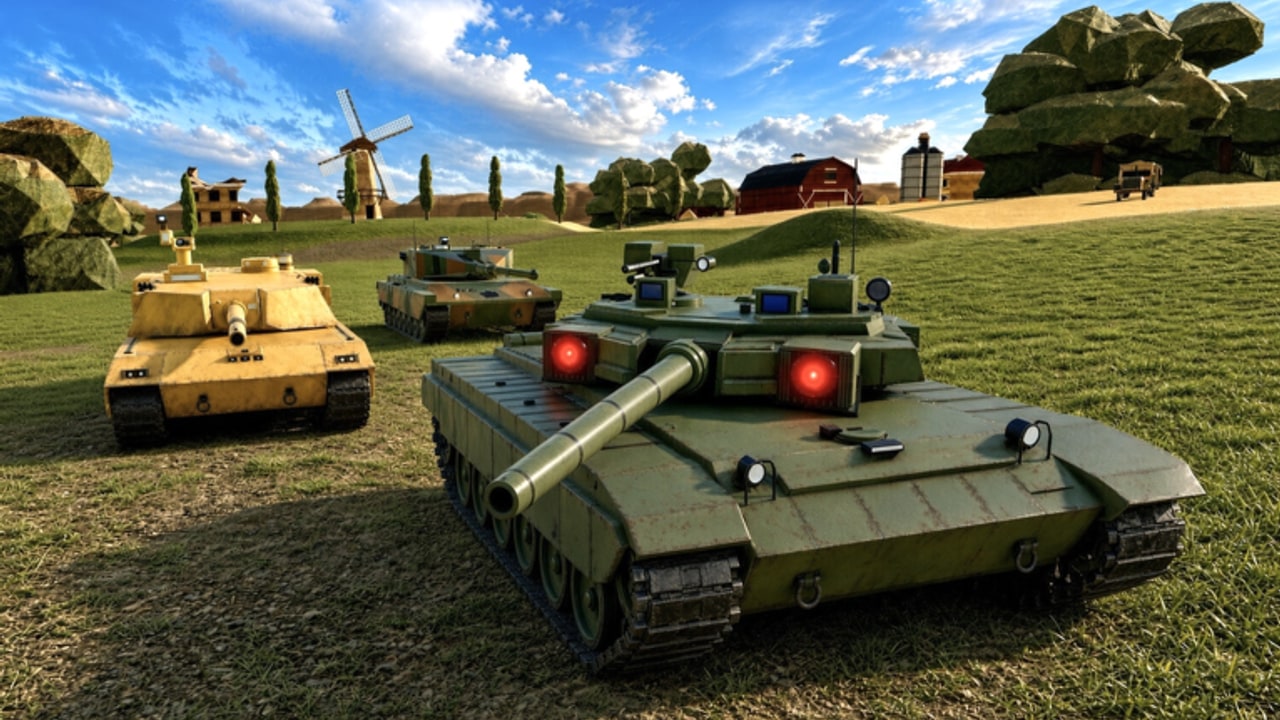
Destroy a Tank by FT Gaming is built for phone, console, and PC. The official listing even flags that cross-platform loop, so control fluency matters as much as picking Sherman over Maus on day one. This guide covers movement, aim, fire, touch and controller habits, a first-session checklist, and mode-aware tips. Pair it with Getting Started, then specialize using Game Modes, Workshop Upgrades, and the Maps Guide.
You do not need perfect aim on join. You do need to confirm that accelerate, turn, turret aim, primary fire, and any secondary rocket input respond before you charge The Big Gun lane alone. Thirty quiet seconds in spawn save ten angry deaths.
Platform overview
| Platform | Typical strengths | Typical risks | | --- | --- | | PC | Precise mouse aim, quick keybinds | Over-peeking because aim feels too good | | Mobile | Always available, touch fire | Fat-finger turns, blocked UI, delayed peeks | | Console | Comfortable sticks, lean-back sessions | Slow target switches without practice |
All three play the same Conquest, Hold the Fort, Team Deathmatch, and ABNORMAL rounds in lobbies up to 26 players. Device is not an excuse to skip Workshop gun nodes or map awareness.
PC habits (WASD, mouse aim, fire)
On keyboard and mouse, expect a familiar shooter tank loop:
- WASD (or equivalent) for hull movement and strafing around cover.
- Mouse for turret aim and camera—separate hull facing from barrel facing when possible.
- Primary fire on left click for the main gun.
- Secondary / rockets on a dedicated key once Workshop rockets are unlocked.
- Sprint or boost inputs if your hull supports them—do not hold boost into open crossfires.
PC checklist before first fight:
- Confirm sensitivity so a 180-degree turret turn does not overshoot every shot.
- Bind rockets where your thumb or pinky will not panic-miss under ABNORMAL reload speed.
- Disable conflicting overlays that steal clicks.
- Practice a peek-shoot-retreat on a wall edge before committing mid.
Mouse players often win trades they should lose because tracking feels crisp—then die to a third party they never checked. After every shot, nudge the camera to flanks. Radar upgrades from the Workshop page amplify that habit.
Mobile / touch habits
Touch Destroy a Tank sessions succeed when UI clutter is tamed:
- Place movement and aim zones so your thumbs do not cover the minimap.
- Use shorter peeks; long holds while adjusting aim paint you for rockets on Rocket Base.
- Fire in controlled taps rather than mashing when the gun is still loading.
- Lower graphics only if heat or frame drops ruin timing—stable 30+ fps beats pretty 15 fps.
- Landscape orientation usually helps turret tracking more than portrait.
Mobile players should lean mediums and forgiving heavies early. Lights demand twitch corrections that fat thumbs punish. When the UFO tripod hazard appears, break line of sight first—do not try to snipe the sky while wrestling virtual sticks. Map context lives in the Maps Guide.
Console / controller habits
Controllers shine for sustained sessions:
- Left stick for hull drive; right stick for turret aim.
- Triggers for fire and secondary when available.
- Practice aim assist edges without relying on them in ABNORMAL 2× speed rounds where everything slides.
- Remap if default rocket placement fights your reload rhythm.
- Use headset callouts in clans (up to 25) so stick players hear flanks they cannot swivel to instantly.
Console crews often over-commit because turning a heavy feels cinematic. Counter that by pre-aiming corners on The Great Wall and Ship Graveyard instead of reacting after you crest.
Universal first-session checklist
Complete this once per device, then again after big UI patches noted on Updates:
- Join the official Destroy a Tank experience and favorite it.
- Enter a lobby; stay still and test move, aim, fire, and rocket keys.
- Identify the mode on the HUD before flooring it—see Game Modes.
- Pick a forgiving medium or classic heavy; save celebrity moderns until controls feel automatic (Getting Started).
- Survive the first engagement with a peek-retreat rather than a brawl.
- Glance minimap after every trade.
- Finish the round for dog tags even if the scoreboard hurts.
- Spend early currency on gun or armour Workshop nodes, not nose art.
If any input feels sticky, leave and rejoin once. Do not blame “cheaters” for a misbound fire button—fair play pages under Scripts exist for a reason.
Mode-aware control tips
Conquest
Controls serve rotations. Bind or muscle-memory a quick camera sweep when leaving a point. PC players should strafe-exit caps; mobile players should release aim sticks earlier so they do not drift into open lanes on The Big Gun.
Hold the Fort
Anchor play rewards pre-aim and disciplined fire, not constant drive spam. Controllers excel here if you hold angles. Rockets clear nested campers—practice the secondary input until it is reflex.
Team Deathmatch
Duels punish slow target swaps. PC mouse flicks help; mobile should pick slightly slower, tankier hulls until tracking improves. Never reverse in a straight line while aiming—strafe or break LOS.
ABNORMAL (2× speed, damage, or reload)
Your muscle memory is wrong for a few seconds. On 2× speed, shorten peeks. On 2× reload, tap-fire discipline beats panic sprays that silhouette you. On 2× damage, treat every open crest as lethal—especially under UFO tripod pressure.
Sensitivity and comfort settings
Whatever the device, chase consistent sensitivity over max turn speed:
- Lower aim until you can track a crossing medium without overshoot.
- Raise only after you stop missing easy broadside shots.
- Match settings across nights so Workshop upgrades—not slider thrash—explain your improvement.
- Take breaks; shaky hands invent “aimbot” myths that lead to unsafe executors.
Controls meet progression
Good inputs unlock the rest of the economy. Clean fights earn dog tags, round MVP spins (Rare→Classified), and progress toward the Top 1000 board. Clumsy inputs waste Workshop potential on every Abrams or PL-01 you eventually unlock. Read Clans & Dog Tags once controls stop fighting you, and keep Codes bookmarked for official drops only.
Practice drills (fifteen minutes)
- Spawn box drill (2 min): move figure-eights while keeping the turret on one landmark.
- Peek drill (5 min): expose half the hull, fire once, reverse to cover—repeat on both flanks.
- Secondary drill (3 min): fire main, count reload feel, then rocket a static prop or wreck.
- Mode callout drill (2 min): say the mode and one win condition out loud each spawn.
- Hazard drill (3 min): on any odd sky/prop alert, break LOS immediately, then reassess.
Run the set on PC, then on the device you actually grind evenings on. Transferring PC muscle memory to mobile without practice is how dog tags evaporate.
Common control mistakes
- Driving with the turret locked backward while “checking” a chase.
- Holding fire through empty reload animations and advertising your position.
- Boosting into Ship Graveyard corridors without a pre-aimed exit.
- Ignoring touch UI scale until the minimap is covered.
- Changing sensitivity mid-tilt streak.
- Learning lights before you can reliably hit mediums.
- Quitting ABNORMAL rounds instead of adapting inputs to the modifier.
Related reading
- Getting Started — full beginner loop after controls click
- Game Modes — how objectives change peek timing
- Workshop Upgrades — gun, armour, rockets, radar priorities
- Maps Guide — named arenas and UFO tripod warning
- Guides Hub — full tutorial index
Master the sticks, keys, or thumbs first. Destroy a Tank rewards crews who can aim under pressure across ten maps—not players who own Classified hulls they cannot point straight. Confirm inputs, finish rounds, upgrade honestly, and let clean controls feed every other system on this wiki.
Frequently Asked Questions
Quick answers to the most common questions.
What are the basic Destroy a Tank controls on PC?
Use WASD-style movement, mouse aim for the turret, primary click to fire, and a dedicated key for rockets once unlocked. Confirm every bind in spawn before your first fight.
Does Destroy a Tank support mobile and console?
Yes. FT Gaming lists phone, console, and PC support. Touch and controller players should tune UI scale and sensitivity, then run the same first-session checklist.
What should I practice before my first real match?
Test move, aim, fire, and rockets; identify the mode; pick a forgiving tank; and complete one peek-shoot-retreat drill so you are not learning inputs under fire.
How do controls change in ABNORMAL rounds?
2× speed shortens safe peeks, 2× reload rewards disciplined tap fire, and 2× damage makes open crests lethal. Reset expectations for a few seconds after the modifier starts.
Which guide should I read after controls?
Continue with Getting Started, then Game Modes, Workshop Upgrades, and the Maps Guide for mode and map-specific habits.